A weak offboarding process is easy to spot, but poor onboarding and messy role changes cause just as much risk. If a new starter cannot sign in on day one, or a departed user still has access to Teams, SharePoint, or email, your controls are not working as one cohesive system for Identity Lifecycle Management.
A solid Microsoft 365 joiner mover leaver process connects HR data, identity, devices, licensing, and retention. It also keeps least-privilege access in place, which matters even more when MFA, Conditional Access, Intune, and remote work all depend on the same account.
The goal is simple: give people the access they need when they need it, then remove it cleanly when that need ends.
Key Takeaways
The following points summarize the best practices for managing your Joiner-Mover-Leaver (JML) processes effectively:
- Your HR system should trigger identity changes through HR-driven provisioning, because manual tickets are slow and often prone to error.
- Utilizing security groups and least-privilege roles helps reduce privilege creep during onboarding and internal role changes.
- Offboarding starts with blocking sign-in and revoking sessions, then moves to mailbox, OneDrive, and license handling.
- Microsoft Entra ID Governance and Power Automate can remove repeatable work, but you still need regular access reviews and audit checks.
Build the right foundation first
Most failures start before the first workflow runs. HR, IT, and line managers often use different records, different timing, and different assumptions about who owns access. Pick one source of truth for employment status, start date, end date, manager, department, and location. In many organisations, that is one of the leading HCM systems like Workday, SAP SuccessFactors, or Oracle HCM.
Microsoft makes the same point in its employee lifecycle guidance. If your identity data is late or incomplete, your automation will copy those mistakes at scale.
Many admins still refer to Active Directory in tickets, but the current identity control plane is Microsoft Entra ID. That is where Microsoft Entra ID Lifecycle Workflows, access packages, and access reviews now sit. Current Microsoft guidance also makes another point many teams miss, as users in scope of lifecycle workflows need Identity Governance licensing, not only the admins who configure it.
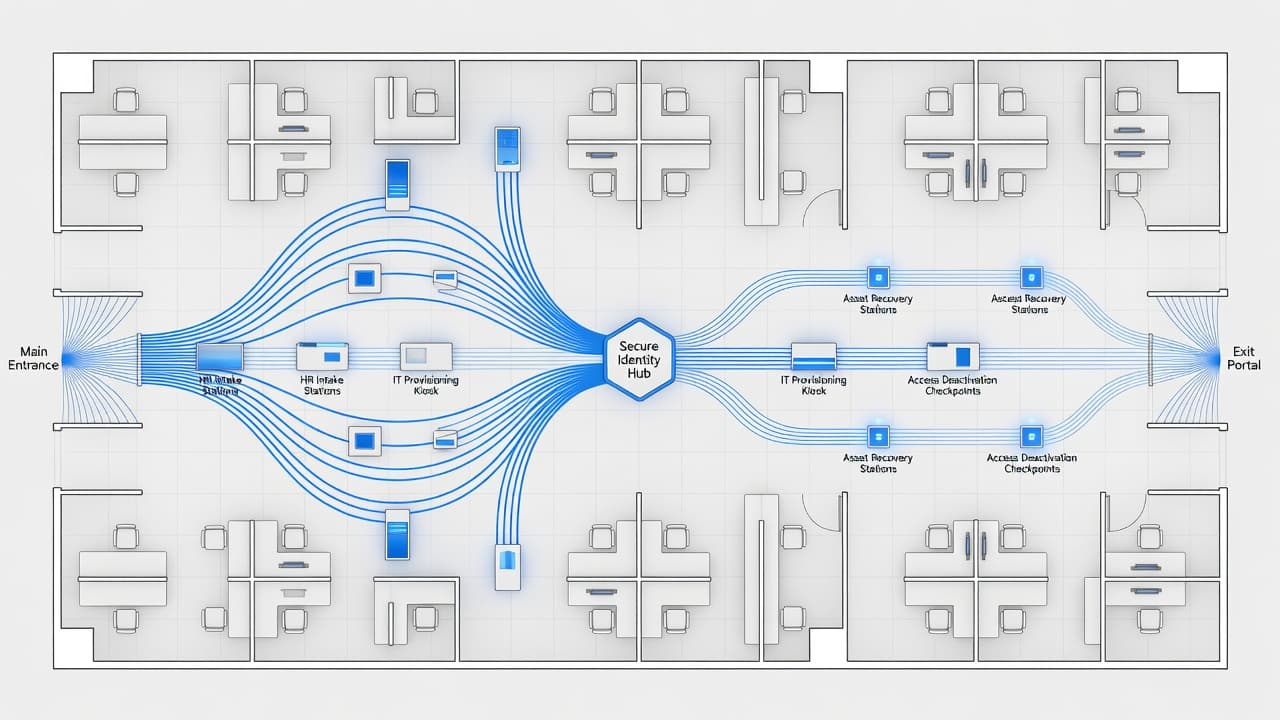
Set the operating model before you automate. Baseline access should come from role, department, and location, rather than from whoever shouts loudest in email. That means group-based licensing, Role-based access control (RBAC), Entitlement management, and clear approval rules for anything outside the default access packages.
This quick matrix keeps ownership clear:
| Stage | Trigger | First action | Owner |
|---|---|---|---|
| Joiner | HR start record | Create identity and baseline groups | HR and IT |
| Mover | Department or role change | Swap role-based access | Manager and IT |
| Leaver | End date or termination | Block sign-in and revoke sessions | HR and IT |
When those boundaries are clear, the rest gets much easier.
Joiners: give access on day one, not day three
New starter requests should be boring. If every joiner needs a custom ticket, you do not have a process, you have a queue.
Automated provisioning using dynamic groups in Entra ID is the best way to scale. By using attributes like department, job title, office, or employee type, you can ensure each user is added to the correct security groups. That provides repeatable birthright access without the need for manual intervention or the risk of handing out excessive permissions.
A practical onboarding flow
- HR creates the employee record with the correct manager, start date, department, location, and worker type.
- Entra ID receives these user attributes and automatically adds the user to dynamic groups tied to their role and office location.
- Group-based licensing assigns the necessary Microsoft 365 licenses, which can include access to Exchange Online, Teams, SharePoint, and other approved business applications.
- Intune prepares the device path, whether that involves Windows Autopilot, mobile app protection, or a compliance policy for BYOD.
- MFA registration is handled before or at the first sign-in, and Conditional Access policies ensure the user meets your security requirements before access is granted.
- Any non-standard access, such as a finance shared mailbox or a specific project site, goes through a formal approval process with a defined time limit.
That sequence cuts day-one friction and avoids over-provisioning. It also helps when contractors or casual staff enter the environment, because their accounts should expire on a known date from the start.
Pay attention to the first sign-in experience. If Conditional Access requires MFA, but the user has no registration path, you will create your own helpdesk storm. Many teams use a Temporary Access Pass (TAP) or a staged registration method for this reason. Also, check that shared mailbox access, distribution lists, Teams membership, and mobile app rules match the person’s actual role, not the last person who held the job.
Movers: stop access drift before it becomes normal
Role changes are where permission sprawl usually starts. People move teams, keep old access for a while, and then nobody removes it. Six months later, the user suffers from privilege creep, meaning they have more access than their manager can explain.
A good Joiner-Mover-Leaver (JML) process treats a role change as both an onboarding event and an offboarding event. Add the new access quickly, but remove the old access on the same day unless there is a documented overlap period. If a short overlap is needed, put an expiry on it.
Map common changes in advance. Sales to marketing, helpdesk to infrastructure, or project admin to full-time staff, each move should have a known access pattern. When HR updates the department or job title, Microsoft Entra ID can trigger the group changes automatically. For a plain-language refresher on the bigger identity picture, this identity lifecycle management overview is useful background.
Privileged roles need extra care. If someone no longer supports endpoints, remove Intune Administrator. If they no longer manage cloud resources, remove Azure RBAC roles and any eligible assignments in Privileged Identity Management. Shared mailboxes, Teams ownership, Power Platform environments, and third-party SaaS access also need review.
Records matter here. Use Microsoft Purview Audit and Entra sign-in logs to maintain a clear audit trail to confirm what changed and when. Managers should approve exceptions, but IT should never rely on memory to clean them up later.
Leavers: block access first, then handle data
Offboarding has one rule that outranks everything else.
Block sign-in first. Data preservation follows a process, but active access cannot wait.
Effective deprovisioning ensures that security boundaries remain intact from the moment an employee departs. For normal departures, trigger the offboarding workflow based on the end date. For high-risk departures, IT should execute a real-time termination during the HR process rather than waiting hours. Account deactivation should be comprehensive, requiring you to disable the account, revoke active sessions, remove refresh tokens, cut app assignments, and strip privileged roles at once. If the user has managed devices, use Intune to retire or wipe corporate data based on the device type and ownership model.
Then handle data in the right order. Don’t remove Microsoft 365 licenses before you have decided what happens to the mailbox and files. If the manager needs continuity, convert the Exchange Online mailbox to a shared mailbox before removing the service license that supports it. If the mailbox is under hold, archive, or advanced retention, review the licensing impact before you make changes.
OneDrive needs the same care. Business files should move to an active owner, and you should check your tenant retention settings before deleting the user. A rushed delete can leave you searching for project files after the fact.
A short offboarding checklist helps you avoid the security risks of orphaned accounts and keeps mistakes down:
- Block sign-in and revoke sessions immediately.
- Remove admin roles, group memberships, and app access.
- Decide mailbox action, shared mailbox, retention, export, or deletion.
- Transfer OneDrive and business-owned SharePoint content.
- Remove or reassign licenses only after data actions are complete.
Finally, document every step. That record matters for compliance, disputes, and simple operational hygiene.
Automate the repeatable work, then watch the results
Manual JML work does not scale well, especially across multiple offices, device types, and admin teams. Microsoft Entra ID Governance provides robust Lifecycle Workflows to manage joiners, movers, and leavers effectively. When your requirements extend beyond standard automation, you can use Power Automate or Logic Apps to bridge the gaps for complex approvals, notifications, and service desk tasks. These integrations leverage the Microsoft Graph API as the underlying engine to ensure your data stays synchronized across your infrastructure.
For example, a joiner workflow can create the account, start baseline licensing, notify the manager, and open a facilities task. A mover workflow can remove old group memberships, request approval for a new shared mailbox, and remind the owner after 30 days to confirm the access still belongs. A leaver workflow can trigger de-provisioning and alert records owners to review data handoff.
Watch workflow health, not only workflow design. Microsoft’s Lifecycle Workflow Insights helps you track processing status and failures. That is useful because a single broken connector or missing attribute can leave a user half-provisioned or half-removed.
Keep the design tight. Current Microsoft guidance suggests implementing roughly 50 to 100 Lifecycle Workflows per tenant under Governance licensing, so build reusable workflow templates instead of creating a separate workflow for every department. To maintain a secure environment, schedule regular access reviews for privileged roles and external users. Automation removes repetition, but it does not replace the need for ongoing oversight.
Frequently Asked Questions
What is the primary advantage of using HR-driven provisioning for joiners?
HR-driven provisioning ensures that identity changes are triggered directly by your official record system, which eliminates the delays and errors associated with manual helpdesk tickets. This automation provides consistent, repeatable birthright access based on department and role attributes from the moment a user starts.
How can I effectively manage privilege creep during the mover process?
To prevent permission sprawl, treat every role change as both an onboarding and an offboarding event. You should automatically provision new access based on the user’s updated role while explicitly removing their previous group memberships and permissions at the same time.
What is the most critical step when offboarding a leaver?
Blocking sign-in and revoking existing sessions must always be your first priority to ensure security boundaries remain intact immediately upon departure. Only after active access is terminated should you proceed with data preservation steps like converting mailboxes or transferring OneDrive content.
Do I need specific licensing to implement Lifecycle Workflows in Entra ID?
Yes, users included in your lifecycle workflows must have the appropriate Microsoft Entra ID Governance licensing. This requirement applies to the identity lifecycle management features, whereas standard administration is handled through your existing tenant subscription.
Conclusion
The best Microsoft 365 joiner mover leaver process is predictable. Joiners get access on time, movers do not collect old permissions, and leavers lose access before risk builds.
That result comes from clean HR data, least-privilege design, smart licensing, and a strict sequence for Intune, Exchange Online, OneDrive, and role removal. If your team still runs these tasks through manual tickets, start with one strong workflow for each stage of the Joiner-Mover-Leaver (JML) cycle, then build from there. By focusing on these foundations, you will transform manual tasks into a robust framework for Identity Lifecycle Management that scales alongside your organization.